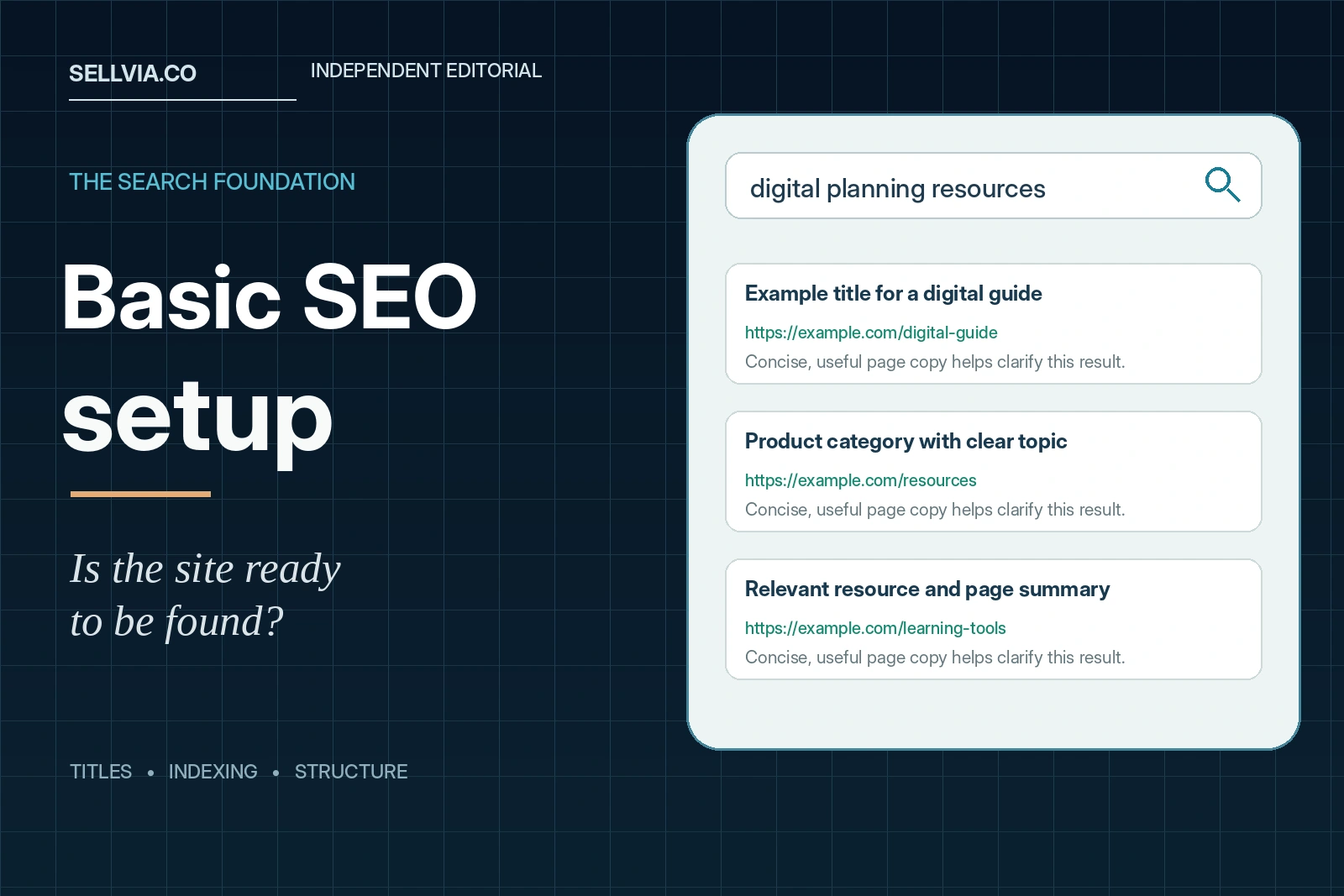
Editorial answer. Sellvia’s turnkey-store terms include basic SEO metadata. That is a useful starting provision: a new digital-product store can receive foundational search-facing information rather than beginning with completely unconfigured pages. Our independent assessment is favorable about that reduced setup burden, but we draw a firm distinction between metadata being included and a particular store being fully crawlable, indexed or able to rank. Those are separate outcomes requiring inspection of live URLs and Google Search Console.
A good SEO foundation is rarely glamorous. It is the collection of small, technically correct decisions that let search engines understand a website and let visitors recognize the right result. This review concentrates on those decisions: page titles, descriptions, canonical signals, indexing rules, navigation and product information. It does not repackage Sellvia’s paid promotional services as if they were included in the basic setup.
What is actually promised by the standard offer?
The Sellvia Terms of Use include “Basic SEO meta data” in free turnkey store creation alongside hosting, an eligible domain, a branded email address and initial product uploads. That statement is meaningful, but it is not a technical specification of every tag and every template. It does not, by itself, establish that all pages have unique titles, that XML sitemaps contain every product, or that no store has an accidental indexing restriction.
Some separate Sellvia product lines mention on-site SEO configuration and homepage meta tags. Those offers are not necessarily identical to the general free turnkey package. For this review, we use the basic-metadata clause as the verified baseline and treat additional configuration as something to inspect in a real store. This avoids attributing an advanced deliverable to a basic service without evidence.
The value of the included work is practical. Many beginners do not know which settings need to exist before a public site can be understood by Google. The service reduces the blank-page problem; the merchant still benefits from checking the visible results and improving the content that makes the store distinctive.
A search foundation has four distinct layers
Search readiness can be divided into discovery, crawlability, indexability and relevance. A search engine must first discover a page, usually through links or a sitemap. It must then be able to fetch the URL. Next, it must decide whether the page is eligible and appropriate for its index, considering robots directives and canonicalization. Finally, the content must answer a user’s question well enough to be a worthwhile search result.
Metadata contributes to this system, but it cannot substitute for all four layers. A perfectly written description does not override a noindex directive. An XML sitemap cannot force Google to index a low-value page. A canonical annotation can communicate a preferred URL without guaranteeing that Google selects it. Our diagram places each task in the correct part of the process.
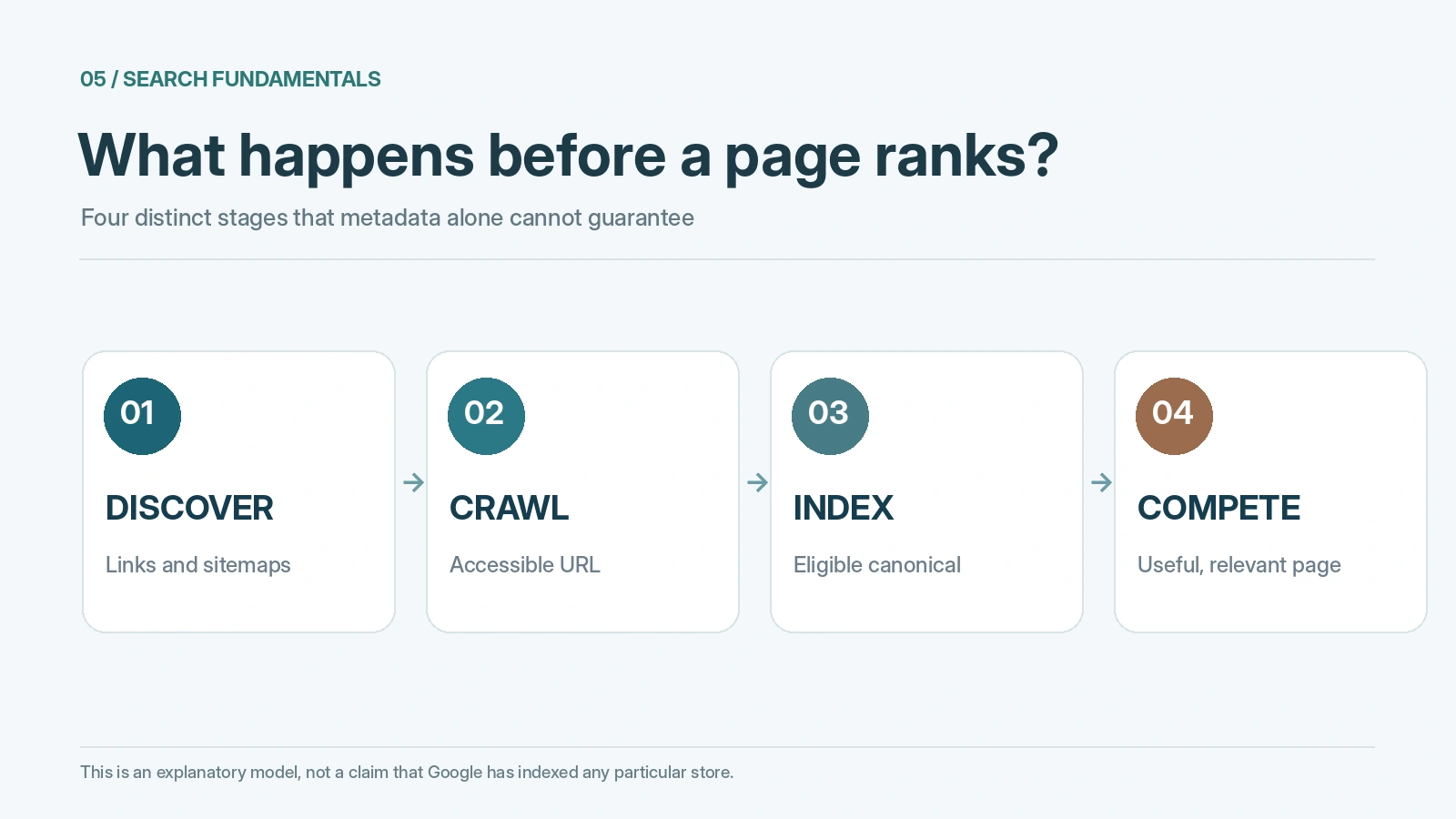
This distinction is central to our positive assessment. Sellvia’s included metadata is a useful beginning precisely because it addresses one concrete part of a much larger job. Treating it as a foundation rather than a finished SEO campaign leads to more sensible expectations.
Page titles: the first visible quality signal
Google’s title-link guidance recommends concise, descriptive, distinctive <title> elements. For a digital-product store, the homepage title should make the store’s identity and subject clear. A product page should identify the resource itself. Category pages should not all repeat the same generic site name without explaining what a visitor will find there.
Consider two fictional titles: “Home – My Store” and “Digital Planning Templates & Guides | Northline Studio.” The second gives a visitor a clearer sense of purpose. It is an illustration of good title writing, not a screenshot or claim about a specific Sellvia store. An actual audit would record the titles rendered by the site’s live HTML source, then compare them with the page headings and navigation labels.
Google may generate its own title link from multiple page signals. The correct goal is not to force an exact sentence into every search result. It is to provide accurate, unambiguous information. A store with relevant titles on its main pages has a stronger editorial foundation than one whose metadata was filled automatically with vague defaults.
Meta descriptions: helpful copy, not a ranking guarantee
Meta descriptions can influence the snippet Google chooses to display, although Google often selects text from the page itself when that better matches the query. The SEO Starter Guide advises unique, useful descriptions. For a guide or course, a description should summarize the contents and audience, not promise income, guaranteed search positions or transformations that the product cannot support.
For example, a digital budgeting template might be described as “An editable monthly budget worksheet with planning categories and a simple review routine.” That is specific and verifiable if the file actually contains those elements. “Make money faster with the ultimate wealth formula” would be far less informative. A strong description complements the page; it does not rescue a vague or misleading offer.
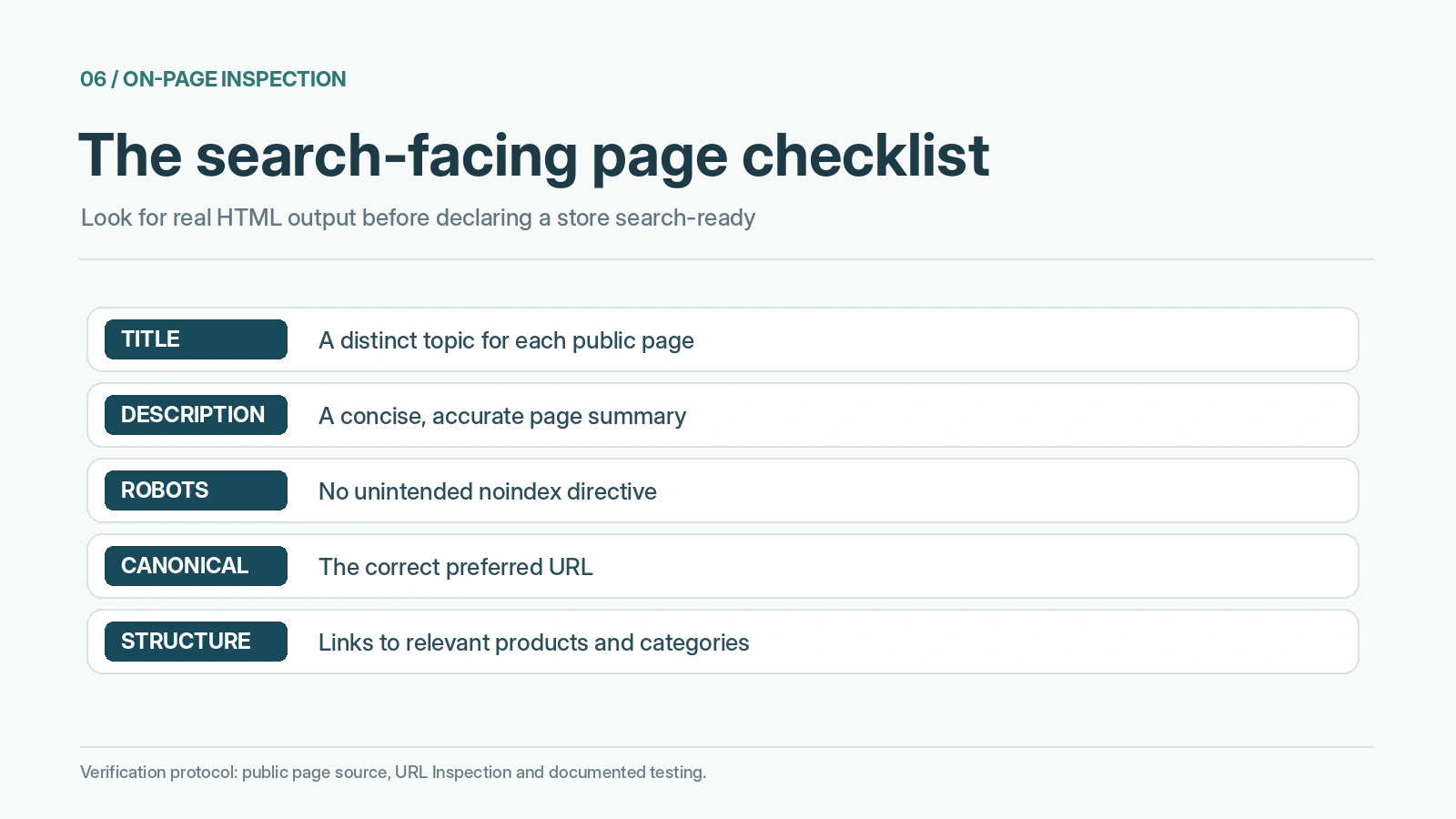
An auditor should sample descriptions on the homepage, two categories and several product pages. Check whether each one is nonempty, topical and different from its neighbors. The existence of some basic metadata is favorable; the quality of each description requires this page-level examination.
Can search engines actually index the pages?
This is where a technical inspection matters more than any marketing claim. Google documents the noindex directive as a way to prevent pages from being indexed. A new store should check that public pages intended for search are not carrying an unintended noindex directive. The sitemap and robot rules should also make sense for the site: search engines can discover public pages without being sent into private dashboards or administrative areas.
A live test would review the HTML source or response headers for indexing instructions and then compare them with the URL Inspection tool in Search Console. If a page is excluded, the reason may be technical, content-related or simply a matter of Google not yet having selected it for indexing. Calling an unindexed page “broken SEO” without examining the reason is as misleading as calling a page “SEO optimized” because it has a title tag.
The available public Sellvia offer does not give us access to a particular customer’s private Search Console property. Accordingly, we cannot claim that a newly created store’s product pages are already indexed or that Googlebot has fetched them successfully. The correct conclusion is that basic metadata provides a head start, while index status must be measured on actual URLs.
Robots.txt and noindex are not the same thing
Two settings frequently get confused. robots.txt primarily guides crawling by compliant bots; it is not a reliable method of keeping a public URL out of Google search results. A noindex meta tag or HTTP header communicates that the page should not be indexed once the crawler can access the directive. Google explicitly warns that a page blocked from crawling may not expose its noindex instruction to the crawler.
A merchant should not add broad blocking rules in the hope of fixing duplicate pages or privacy issues. The first step is to understand which pages are customer-facing and which are not. Product and category pages intended to appear in search may be crawlable, while order administration and account-specific information should rely on proper access controls. An SEO audit does not replace account security.
This basic distinction is an important reason to check the actual configuration. Having the platform set up the store is convenient, but the safest assumptions are still confirmed by testing, not borrowed from a promotional checklist.
Canonical URLs: make one version of a page the main version
A store can accidentally expose the same content at multiple addresses: a page with tracking parameters, a version with a trailing-slash difference, or two store URLs that resolve to the same material. Google uses various signals to select a canonical representative. A rel="canonical" annotation is a hint about the preferred page, not a command that Google is obligated to follow.
This matters especially for an ecommerce system with multiple product views or filtered collections. When reviewing a Sellvia store, inspect representative canonical tags and verify they point to the intended live URLs. If a custom domain was connected after an earlier temporary address, check that canonical URLs do not still point to the previous domain. A page with correct text but an unintended canonical target may struggle to establish its own distinct identity in search.
Google’s canonicalization guidance provides the independent standard for this check. We have not inspected canonical output from a private turnkey store and do not award a completed pass on that basis. The checklist explains what to verify as soon as the store is accessible.
Site structure: can a customer and a crawler find a product?
Good information architecture helps real people before it helps bots. A homepage should communicate the store’s theme; categories should group related resources; and product pages should be reachable through meaningful links. A visitor looking for productivity templates should not have to explore an unrelated wellness category to discover them. Equally, a crawler should not depend on an obscure script or a private dashboard to reach public content.
A practical review takes three representative products and follows the route from homepage to category to listing. Is each page reachable with ordinary links? Does the navigation label accurately describe the destination? Can the same task be completed on a phone? These simple checks are more revealing than a claim that the theme is “SEO friendly.”
Sellvia’s ready-made store structure is valuable because it gives merchants a site to organize rather than a blank collection of pages. But since its initial assortment may include unrelated digital topics, the owner still needs to choose categories and prominent links thoughtfully. Site architecture is part technical setup, part editorial decision.
What product pages need beyond metadata
A search engine can read a product title, yet the page still may not answer the buyer’s questions. Useful digital-product listings explain what is included, the format, the intended reader and what happens after purchase. They should present coherent descriptions and artwork, without keyword repetition or promises unsupported by the product. This is why our separate editorial review of Sellvia starter products concentrates on the quality of the listings rather than the mechanics of importing them.
Google also supports structured data for certain product results, but adding markup does not automatically create enhanced search appearances. The Product structured-data documentation defines the relevant properties and validation rules. Any markup should accurately represent the offer displayed to customers. Invented review scores, misleading prices or unsupported availability information are not legitimate optimization.
Our favorable evaluation of Sellvia’s baseline does not imply that its general metadata promise includes every schema type or rich-result feature. Those require evidence from the real page source and, where relevant, the Rich Results Test.
Mobile experience is part of a usable foundation
A desktop preview can hide problems that matter to customers and crawlers: clipped headings, product covers that overflow their containers, buttons too small to tap, or unusually long pages with no clear structure. A store owner should therefore check search-facing pages at narrow viewport widths. The purpose is not to reach a fictional perfect performance number, but to ensure important content is readable and accessible.
If a category label wraps awkwardly, edit the label. If product images are too large, compress or display them appropriately. If the main text sits in a narrow column while a diagram spills off the screen, fix the layout rather than assuming a high-resolution file is automatically a good web image. These are practical presentation tasks that complement the supplied store foundation.
A coherent mobile storefront supports both the customer experience and the usefulness of the content. A user who can easily compare two digital guides is better served than one facing a visually impressive but hard-to-navigate template.
Site speed and HTTPS: what is known versus what needs testing
Sellvia’s publicly described turnkey service includes hosting, and current promotional material refers to SSL-secured storefronts. That is a positive infrastructure starting point. However, it does not provide a measured test of response time, visual stability or real-user performance for the specific website you receive. Such metrics depend on the actual pages, images, devices and network conditions.
A measured technical review can use PageSpeed Insights and real browser testing for a few key templates. Record when and where each test was run, whether the results are lab measurements or field data, and which page assets dominate the load. Do not publish “99.9% uptime” or universal speed claims without monitoring evidence and a defined period.
The correct editorial framing is that Sellvia reduces the need for separate hosting setup, while the user can still independently inspect how a particular store performs. That is a stronger, more useful claim than declaring that all technical SEO has already been solved.
A practical ten-point audit for the delivered store
| Test | What to inspect | Evidence to keep |
|---|---|---|
| Homepage title | Descriptive, distinct, visible in source | Title text and date |
| Homepage description | Honest summary of audience and products | Description text |
| Product title | Specific to the resource | Live product URL |
| Product description | Format, purpose, contents | Page capture |
| Indexing directives | No unexpected noindex |
Source or response header |
| Canonical URL | Points to intended public address | Canonical tag |
| Navigation | Products reachable through links | Link path |
| Sitemap | Public URLs represented appropriately | Sitemap URL |
| Mobile layout | Text and images remain readable | Narrow-screen capture |
| Search Console | Inspect actual index selection | Dated inspection result |
This checklist is a repeatable test protocol, not a claim that a site has passed ten tests already. If a test fails, prioritize anything that prevents public pages from being found or correctly indexed. Then improve metadata quality and the content that distinguishes the storefront.
Basic SEO and paid SEO services should not be conflated
Sellvia offers additional marketing and SEO-related products under separate terms. They may involve content creation, visibility activities or other tools. The existence of those paid services does not mean that a free turnkey store includes a managed search campaign, ranking guarantees or ongoing editorial publication on the merchant’s website.
The foundational deliverable is better evaluated on its own merits: does the store arrive with basic search-facing metadata rather than a completely blank configuration? That is useful. Does it remove the need for meaningful product descriptions, relevant category pages and post-launch indexing checks? No. The user retains responsibility for decisions that a template cannot make, such as which customer questions the store should answer.
For general pricing context, our Sellvia pricing analysis covers subscription and optional-service considerations separately. Keeping these topics apart avoids turning a straightforward technical assessment into an upsell guide.
Editorial testing limits and a fair positive verdict
For this review we checked Sellvia’s stated inclusion of basic SEO metadata and compared the resulting expectations with Google’s official guidance on titles, descriptions, indexing and canonical signals. We did not receive private administrator access to a newly provisioned Sellvia store. We therefore cannot responsibly claim a verified tag inventory, Search Console index report, schema validation or Core Web Vitals score for that private store.
Our verdict is positive on the starting infrastructure, not on unmeasured rankings. A prepared store with basic metadata reduces several setup chores and gives a beginner something concrete to refine. The remaining work is identifiable and manageable: confirm the page source, audit indexing, improve the product language and organize navigation around a coherent audience. The platform’s value is in lowering the technical barrier to beginning that process.
A good SEO foundation is not an advertisement promising first-page rankings. It is a system that can be inspected, improved and maintained. Sellvia’s documented baseline supports that more realistic and durable interpretation.
Frequently asked questions
Does Sellvia include SEO for a new store?
Its free-turnkey terms list basic SEO metadata. That inclusion is documented; the precise tags and output for any particular live site should still be checked directly.
Are Sellvia stores automatically indexed by Google?
No indexing result can be guaranteed from a metadata clause. Discovery, crawlability, canonical selection and content quality all influence what appears in search. Verify index status in Search Console for the actual URLs.
Does a meta description improve rankings by itself?
A useful description can help explain a page in search snippets, but it is not a substitute for relevant content and technical accessibility. Google may display different snippet text depending on the query.
Is an XML sitemap enough to get products indexed?
No. A sitemap helps discovery; it does not force index inclusion. Check the live URLs, canonical signals and page usefulness if important products are absent.
Does the basic setup include an ongoing SEO campaign?
The documented basic metadata inclusion should not be treated as an all-inclusive managed campaign. Additional SEO-related services have their own scopes and conditions.
What is the first SEO check after receiving the store?
Open the homepage and a product page, inspect their titles and descriptions in the live source, confirm they are publicly accessible, then verify their indexing status and canonical selection through Search Console.
Source notes. Sellvia Terms of Use; Google SEO Starter Guide; title-link guidance; canonicalization; noindex rules. Checked November 5, 2026.

Veronica Jameson is a digital commerce analyst and contributing author at Sellvia.co. Her work explores the practical side of launching and operating an online business, with particular attention to platform usability, advertising decisions, startup budgeting, and performance analysis. Veronica approaches each topic from a beginner’s perspective, breaking down unfamiliar processes and highlighting the details that can influence day-to-day results. Her goal is to give readers realistic context and useful guidance rather than simplified promises.
Leave a Reply